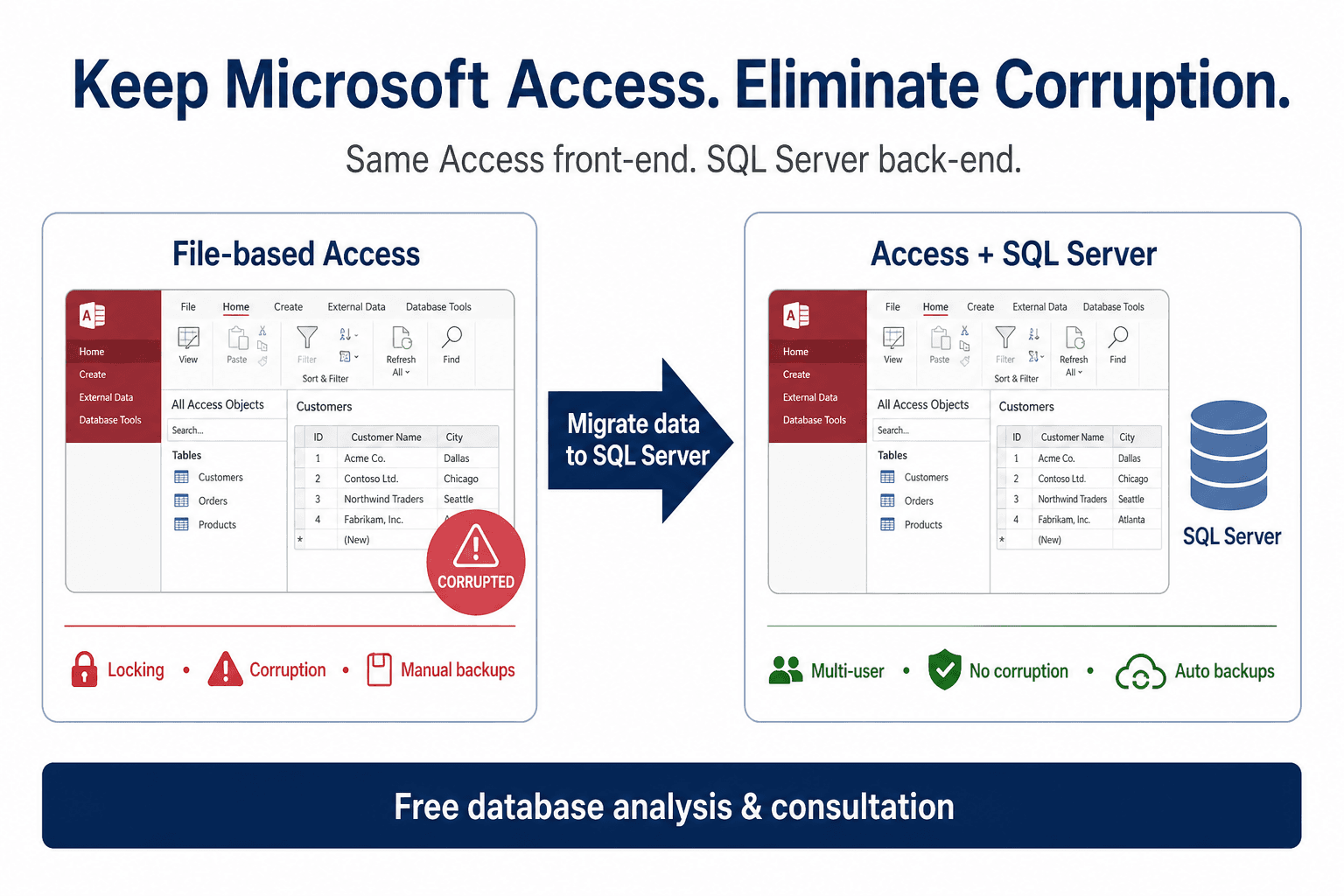
What changes for you
Queries run against a server database, backups target the SQL tier, and concurrent editing follows database transaction rules instead of file locking.

Service: SQL backend with Access front-end
When your team wants to keep the Access screens they already know, but crashes, bloat, and locking come from the file backend, we migrate data to SQL Server and tune the app so day-to-day work feels faster and safer.
Access to SQL Server upsizing keeps Access screens and moves the data file off the 2GB backend. MS Access database size limit · convert ms access to web
Handled 500+ Access modernization engagements; SQL upsize and split-database work is a core delivery pattern.
No downtime migration mindset · Works with your existing system · Free consultation on every engagement
Architecture
Access to SQL Server upsize path: keep the Access UI your team knows while tables, queries, and backups run on a scalable SQL Server or Azure SQL backend.
Trusted by teams we have supported
Organizations modernizing Access with MSAccessOnline








Service overview
We move your tables and data from Jet/ACE file storage into SQL Server (or Azure SQL), then reconnect Access as the front-end.
Queries run against a server database, backups target the SQL tier, and concurrent editing follows database transaction rules instead of file locking.
Users can keep Microsoft Access for forms and reports during this phase, training is incremental rather than a full UI replacement.
Staff still open the same Access application style they know, but the “heavy lifting” of storing data happens on a proper database server built for many users.
We implement linked tables or ODBC connections, refactor pass-through queries where needed, address autonumber and datetime compatibility, index hot paths, and validate referential integrity after migration.
Day to day
Data hosting
In this service, the Access interface can stay, but the data moves to a server-grade database tier so storage and performance are centralized.
Primary setup: SQL Server or Azure SQL hosted in cloud for multi-user reliability, faster querying, and scheduled backups.
Also possible: SQL hosted in your own cloud subscription or private network/on-prem data center with your DBA and security controls.
Result: You keep Access workflows while data governance, backup strategy, and concurrency move to a stronger backend foundation.
Use cases
Practical scenarios where teams outgrow local Access, written for both SEO clarity and stakeholder alignment.
Multi-user crashes when two departments touch the same backend file
Slow performance opening large tables or complex queries over the network
Remote teams that still need Access but cannot tolerate file-share latency
File corruption risk after network interruptions during writes
Reporting inconsistencies from multiple out-of-date local copies
Scaling limits when leadership expects more named users on the same workflow
Comparison
Local Access vs your solution, outcomes your operations team will notice.
| Area | Local Access | Your solution |
|---|---|---|
| Speed | Entire table pulls across the wire from a file share | SQL Server returns filtered result sets with indexing strategy |
| Multi-user stability | Jet/ACE locking on shared files | Row-level concurrency managed by SQL Server |
| Remote access | Painful unless files sit close to users | SQL tier can live in cloud/VNet closer to distributed teams |
| Backup | Copying Access files mid-flight risks inconsistency | Transactionally consistent SQL backups |
| Security | Anyone with share access may copy the backend | SQL authentication/authorization and network segmentation |
| Scalability | Hard ceiling for healthy concurrent editing | Room to grow users before any UI rewrite |
Process
A consistent process across engagements so procurement and IT know what to expect.
We inventory objects, sizes, linked tables, and pain scenarios.
We classify tables, keys, complex queries, and VBA that touches data directly.
We choose SQL edition, hosting, connectivity pattern, and cutover strategy.
We migrate schema and data, rebuild links, and optimize indexes and queries.
Parallel validation: row counts, spot checks, and critical user journeys in Access.
Controlled switch of production connections with rollback steps.
Post-go-live tuning for slow queries and optional roadmap toward web if desired.
Straightforward split-database upsize projects are often measured in days to a few weeks; heavily customized logic or large datasets extend testing. Expect a clear phased estimate after the free audit.
Why us
We specialize in Access, not generic “any database” consultants guessing at your macros.
We have delivered many migrations where Access remained the UI while SQL became the brain.
Business-first sequencing: stabilize data first, debate UI later.
Minimal disruption: parallel runs and validation queries before users are redirected.
A credible path to long-term web if you choose SQL as a deliberate stepping stone.
Pricing
Engagements are typically a fixed conversion fee for the scoped migration plus optional SQL hosting around $50/month where we manage the database tier for you.
Typical projects start from a scoped upsize after we confirm table sizes and complexity, contact us for a written estimate.
Fixed fee for defined migration scope; hourly available for exploratory remediation.
Want numbers for your database? Use the price calculator or book a free consultation.
Estimate
Your team keeps the same Access screens while we move tables and data to SQL Server for better stability, speed, and multi-user performance.
Best when you need to reduce lock errors and corruption risks now, without retraining staff on new screens or rebuilding forms yet.
View full service detailsOne-time conversion fee plus optional monthly hosting if you choose our managed cloud.
$2,250
Access to SQL Server conversion
None
SQL runs on your network — no monthly hosting fee from us
Conversion only · your network
Approximate estimate. Scope confirmed after a quick database review.
Prefer a dedicated page? Full pricing calculator
Options
Pick the horizon that matches your risk tolerance. Each page explains one path; together they cover short-, mid-, and long-term modernization.
Long-term
Best when you want browser access without Access licenses.
View detailsMid-term
Need faster performance now? Keep Access while data moves to SQL Server.
You are viewing this option
Short-term
Not ready for full web app? Centralize Access as-is for remote teams.
View detailsBack to homepage overview · Price calculator · Legacy migration services page
Technology
Simple, credible building blocks, aligned to how we actually deliver.
Proof
A services company ran a monolithic Access file for scheduling. Two offices experienced daily corruption repairs and slow opens over VPN.
We migrated the data tier to Azure SQL, split front-end objects, indexed scheduling queries, and trained admins on SQL backups.
Teams stopped emailing “use my copy” spreadsheets and returned to one operational dataset with faster filters.
Related guides
Deep dives that complement this service path. Each article links back to practical migration and hosting options.
FAQ
Access itself is still a desktop app in this model. “Online” for your data means the database server is reachable securely, often via VPN or private connectivity, while users run Access locally or via managed desktop.
With SQL Server as the backend, practical concurrency improves substantially versus a shared Jet file, but the Access UI still has limits. We size expectations honestly after reviewing your forms.
In most cases yes, because Access remains the UI layer. Some queries or macros need adjustment after upsize; we catch those during testing.
Small split-database moves can complete quickly; larger datasets need migration windows and validation. You receive a timeline with your fixed quote.
Yes. Migration uses controlled exports/imports or SSIS-style patterns, verification totals, and encrypted connectivity. Hosting can sit in your cloud subscription if required.
Choose SQL backend when you must improve stability and performance now but are not ready to retrain users on a browser UI. When you are ready for long-term scale, pair this with our web conversion path.
Yes. We review your file structure, risks, and whether SQL alone solves your pain, or if hosted Access or web is a better first move.
We aim for tightly controlled cutover windows, sometimes with a short maintenance period. For larger databases we may use staged migration strategies to minimize operational risk.
Cost depends on table count, query complexity, linked-table cleanup, and whether you need managed SQL hosting afterward. Most engagements are a fixed migration fee for a scoped cutover, with optional SQL hosting from about $50/month when we manage the database tier. Use the on-page pricing calculator for a planning estimate, then we confirm a fixed quote after a free consultation.
Small split-database upsizes can finish in days once scope is clear. Mid-size systems with custom queries, macros, and validation usually take a few weeks including test cutover. Larger multi-office databases need a staged window for data validation and user acceptance. You get a written timeline with your fixed quote before work starts.
Yes. MSAccessOnline is an Access-specialist migration company—not a generic database shop. A senior consultant reviews your .accdb/.mdb structure, concurrency risks, and whether SQL alone solves the pain or whether hosted Access or web conversion should come first, then delivers a fixed-scope plan.