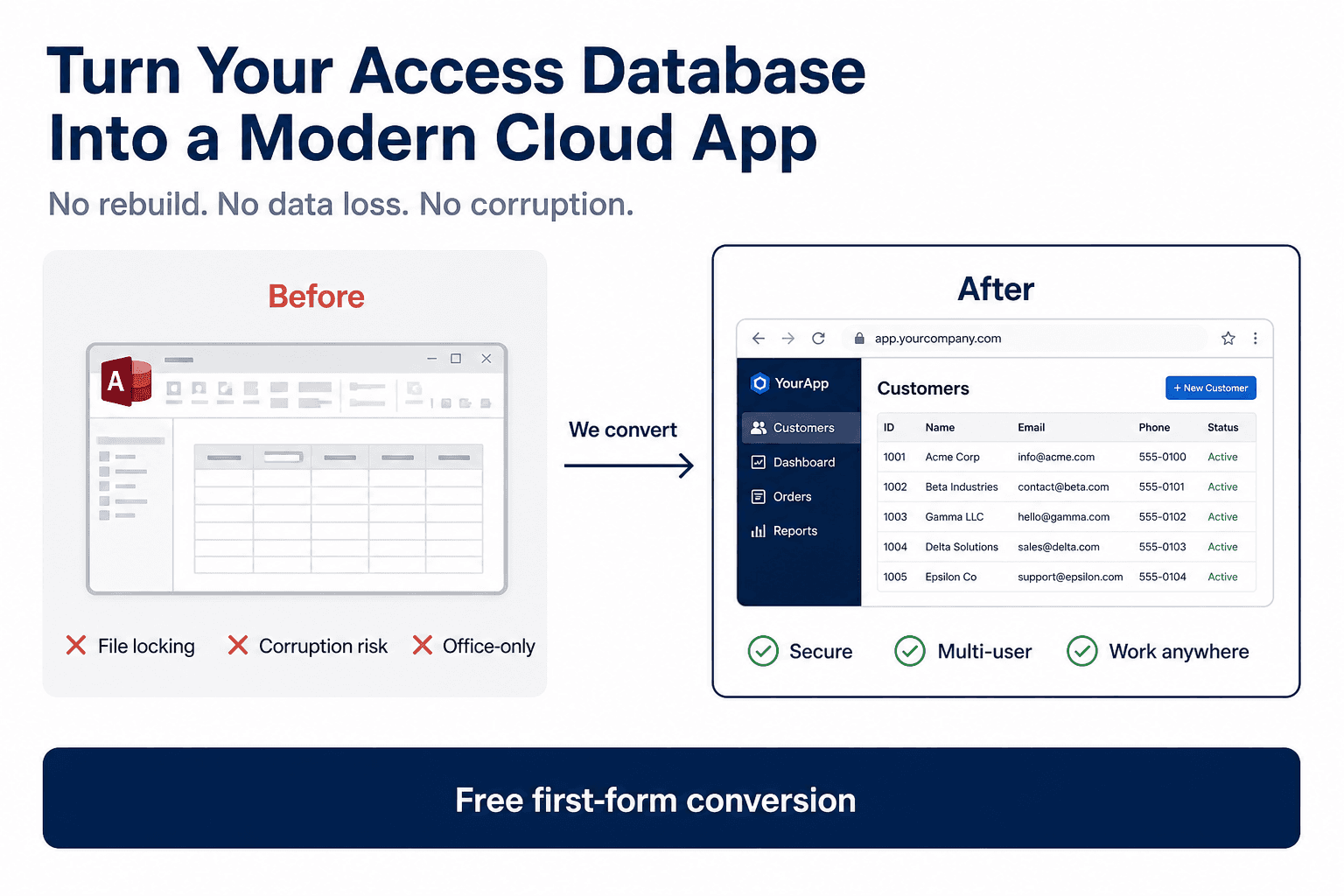
What changes for you
Users sign in through the web, data lives in a centralized database, and updates roll out without pushing new files to every PC.

Service: Web application conversion
If shared .accdb files, VPN workarounds, and lock errors slow your team down, we rebuild your forms and workflows as a modern web app, so daily work stays familiar while the platform becomes stable and ready to grow.
Convert MS Access to web when the shared file should become a browser application. Access to web app cost · access to sql server upsizing
Handled 500+ Access modernization engagements across manufacturing, logistics, and services.
No downtime migration mindset · Works with your existing system · Free consultation on every engagement
Architecture
How MS Access modernization works: move forms, reports, and business logic from a shared .accdb file to a browser-based web application with centralized SQL data and role-based login.
Trusted by teams we have supported
Organizations modernizing Access with MSAccessOnline








Service overview
We move your business workflows from a desktop Access application into a secure web application your team opens in a browser.
Users sign in through the web, data lives in a centralized database, and updates roll out without pushing new files to every PC.
Your core business rules, reporting intent, and process flow stay aligned with how you already operate, we modernize the delivery layer.
Think of it as the same work, opened in Chrome, Edge, or Safari instead of a fragile shared file. Managers keep visibility, staff keep their steps, and IT gets a system that behaves like modern software.
We analyze tables, queries, forms, reports, and VBA, then implement equivalent logic in a web stack backed by SQL Server or Azure SQL. APIs and integrations are designed around your hosting and security boundaries.
Day to day
Data hosting
Web app conversion separates user interface from data storage, so you can pick the right hosting boundary without changing how users work.
Primary setup: SQL Server/Azure SQL in a managed cloud environment with encrypted backups, monitoring, and controlled access.
Also possible: Deployment in your own cloud account or private network/on-prem infrastructure when policy or compliance requires full tenant control.
Result: Centralized, secure data with browser-based access and a clear path to scale users, automation, and integrations.
Use cases
Practical scenarios where teams outgrow local Access, written for both SEO clarity and stakeholder alignment.
Multi-user crashes and “locked by another user” errors on a shared drive
Slow performance as record counts grow or more branches come online
Remote and hybrid teams that refuse another VPN-only workflow
File corruption scares after improper exits or network blips
Reporting that depends on fragile local queries and inconsistent copies
Scaling limits when leadership asks for more users, audits, or integrations
Comparison
Local Access vs your solution, outcomes your operations team will notice.
| Area | Local Access | Your solution |
|---|---|---|
| Speed | Degrades with file size, distance, and concurrent edits | Server-side queries and caching tuned for concurrent browser sessions |
| Multi-user stability | Record locks and corruption risk on shared files | Centralized relational store with transactional writes |
| Remote access | Often RDP/VPN or emailed copies | HTTPS access from approved devices and locations |
| Backup | Depends on whoever remembered to copy the file | Automated database backups and defined restore points |
| Security | Anyone with the file path may exfiltrate data | Role-based access, audit-friendly sessions, hardened hosting |
| Scalability | Hard limits on practical concurrent users | Horizontal and vertical scaling paths as usage grows |
Process
A consistent process across engagements so procurement and IT know what to expect.
We review scope, risk, integrations, and success criteria with stakeholders.
We map tables, queries, forms, reports, macros, and critical VBA paths.
We confirm hosting, security, data migration, and phased rollout boundaries.
We implement the web app and migrate data with validation checkpoints.
Business scenarios, edge cases, performance checks, and UAT sign-off.
Production cutover with rollback planning and communication to users.
Stabilization window, then optional roadmap for enhancements and integrations.
Pilot modules often land in days to a few weeks; full programs scale with form count, integration depth, and compliance requirements. We quote phased timelines after the free audit.
Why us
Deep MS Access expertise: we speak VBA, linked tables, and split-database realities, not generic “rewrite everything” pitches.
Real-world migrations: phased delivery so finance and operations keep working while high-traffic workflows move first.
Business-first approach: scope follows operational priority, not whatever is easiest to demo.
Minimal disruption: controlled cutover, validation scripts, and clear rollback thinking, not a big-bang weekend gamble.
Long-term scalability: browser apps integrate cleanly with CRM, ERP, accounting APIs, and internal tools you already rely on.
Pricing
Web conversion is scoped to your database: most projects use a fixed phase for a defined module set, with optional hourly expansion.
Typical projects start from pilot-sized scopes (often comparable to our published starter bands on the pricing page) and scale with complexity.
We offer fixed-price phases for well-bounded scope and hourly ($50/hr) execution where discovery is still evolving, your proposal states which applies.
Want numbers for your database? Use the price calculator or book a free consultation.
Estimate
We rebuild your Access forms, reports, and workflows as a secure web application your team opens in Chrome, Edge, or Safari—no desktop Access install required.
Best when you want long-term scalability, remote access without VPN, and a modern platform that connects cleanly with CRM, ERP, and other tools you already use.
View full service detailsOne-time cost is based on your forms, reports, and queries. Monthly cost applies only if you choose cloud hosting.
$1,486
None
You host on your network — no monthly fee from us
10 objects · your network
Approximate estimate. Free audit confirms final scope.
Prefer a dedicated page? Full pricing calculator
Options
Pick the horizon that matches your risk tolerance. Each page explains one path; together they cover short-, mid-, and long-term modernization.
Long-term
Best when you want browser access without Access licenses.
You are viewing this option
Mid-term
Need faster performance now? Keep Access while data moves to SQL Server.
View detailsShort-term
Not ready for full web app? Centralize Access as-is for remote teams.
View detailsBack to homepage overview · Price calculator · Legacy migration services page
Technology
Simple, credible building blocks, aligned to how we actually deliver.
Proof
A regional distributor ran order entry on a split Access database. Remote staff over VPN hit nightly lock conflicts; month-end reporting required someone to “close the file first.”
We converted priority forms to a secure web front end on Azure SQL, migrated historical orders, and aligned permissions with their sales regions.
Order entry stabilized for concurrent users and leadership gained consistent reporting without local file rituals.
Related guides
Deep dives that complement this service path. Each article links back to practical migration and hosting options.
FAQ
Pure Access still expects a Windows desktop runtime. For true online use without per-user Access installs, a web application (like this service) or hosted remote desktop are the practical paths, we help you pick based on timeline and budget.
File-based Access breaks down at relatively low concurrent usage depending on forms and network quality. A web app backed by SQL is designed for materially higher concurrency because data is not edited through a shared file handle.
The Access form objects themselves are rebuilt as web screens. Users interact with the same fields and steps where possible, implemented with modern UI components and validated against your live database.
A focused pilot can be ready in days to a few weeks. Enterprise-wide conversions run longer because of UAT, integrations, and change management, we always provide a phased timeline after the audit.
Yes. We use encrypted transport, least-privilege database roles, backups, and deployment practices aligned to your hosting choice (our managed cloud, your tenant, or private network).
If you want to eliminate Access installs and maximize long-term flexibility, web conversion is usually best. If you need stability immediately but must keep Access UI temporarily, SQL backend or hosted Access can be interim steps, we explain trade-offs candidly on a short call.
Yes. Book a free consultation and we will outline risks, options, and realistic sequencing for your specific .accdb or .mdb system.
We plan cutover windows and parallel runs so teams are not left without a system. True zero-downtime depends on your constraints; we design the lowest-risk path and communicate it before execution.
Web conversion is scoped to your forms, reports, VBA, and integrations. Published starter bands begin around $800 fixed for small form/report sets, with Growth and Scale bands for larger modules; complex multi-system work is a custom fixed quote. Use the pricing calculator on this site for a planning range, then we lock a phase quote after the free conversion preview.
A focused pilot (one priority workflow end-to-end) can be ready in days to a few weeks. Full departmental or multi-office conversions take longer because of UAT, permissions, and change management. We always give a phased timeline after the audit so you know what ships first.
Choose a team that already ships Access modernization—not a general web agency learning Jet/ACE on your dime. MSAccessOnline converts Access systems into browser apps with a SQL backend, preserves business rules where they matter, and sequences SQL or hosted Access as interim steps when a full rewrite would slow you down.