What changes for you
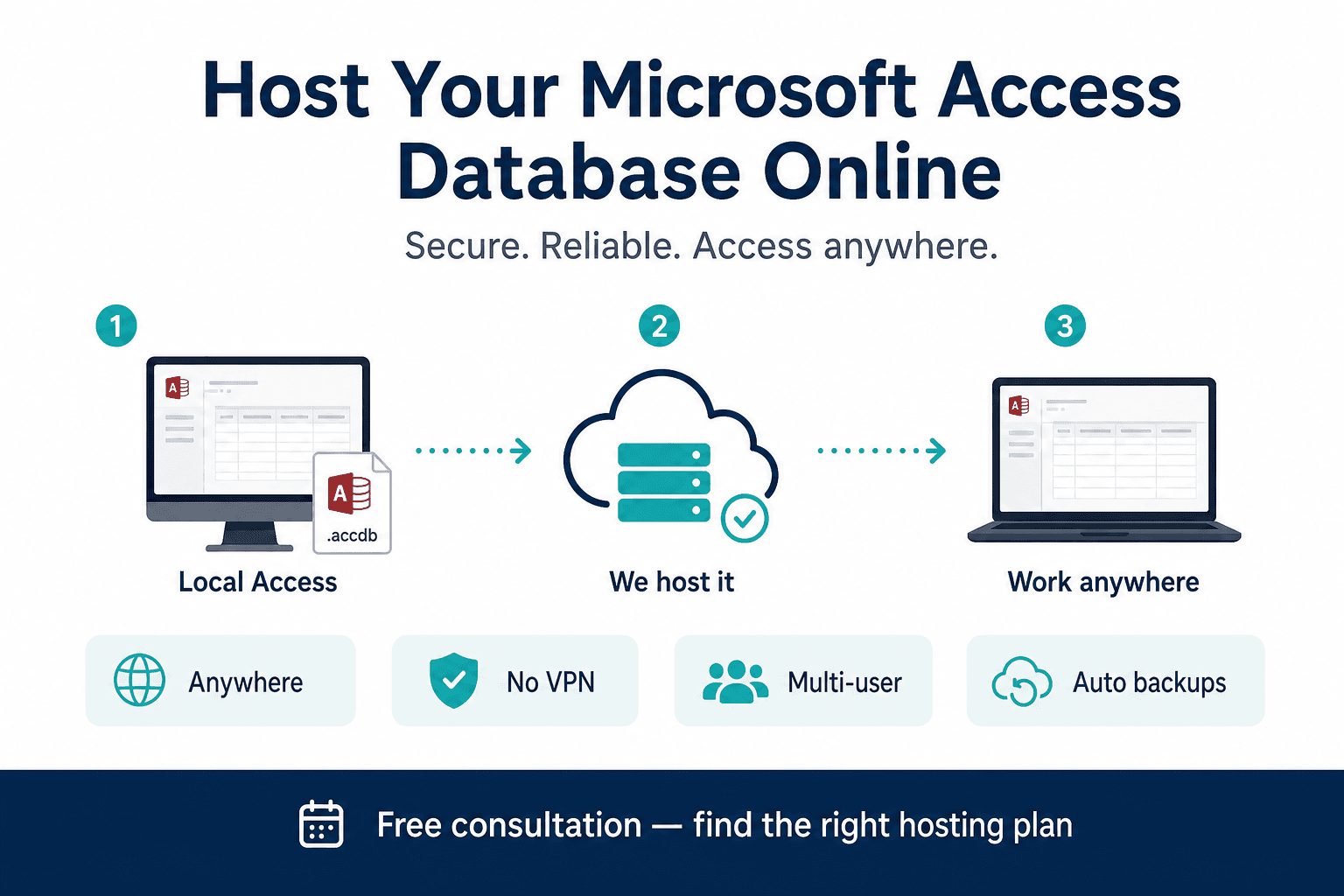
Users open a secure session to run Access instead of copying files to laptops; administrators control versions, backups, and who can connect.

Service: Hosted Access on cloud desktop
When you cannot change forms yet but everyone needs the same system, we host Access in a secure cloud desktop environment so users connect remotely while files and runtime stay under centralized control.
MS Access hosting runs the existing desktop database online without a rewrite. Microsoft Access online · access to sql server upsizing
Handled 500+ Access engagements; hosted desktop is a common bridge while SQL or web roadmaps mature.
No downtime migration mindset · Works with your existing system · Free consultation on every engagement
Architecture
Hosted Access on cloud desktop (RDS): users open a secure remote session to run the same Access database centrally, ideal for short-term multi-user access without changing forms.
Trusted by teams we have supported
Organizations modernizing Access with MSAccessOnline








Service overview
We deploy your Access application (front-end/back-end or split configuration) into a managed remote desktop style environment in the cloud.
Users open a secure session to run Access instead of copying files to laptops; administrators control versions, backups, and who can connect.
Screens, macros, and most day-to-day clicks remain Access-native, this is intentionally the fastest continuity play.
Your team sees the same Access they already trained on, it simply “lives” in a private cloud workspace they log into.
We handle image sizing, profile controls, storage for data files, scheduled backups, network paths, and optional integration with your identity provider depending on tenant requirements.
Day to day
Data hosting
Hosted Access centralizes where the application runs and where data is stored, so users connect to one managed environment.
Primary setup: Data and Access runtime hosted in a managed cloud desktop setup with centralized backup and administrator control.
Also possible: Hosted setup in your own cloud tenant or private network when residency and compliance require customer-managed boundaries.
Result: One authoritative database environment for remote teams, with fewer version conflicts and simpler support operations.
Use cases
Practical scenarios where teams outgrow local Access, written for both SEO clarity and stakeholder alignment.
Remote teams that must use Access immediately without a UI rebuild
Multi-user crashes caused by divergent local copies rather than server-grade storage
Slow performance when home users pull multi-gigabyte files over VPN
File corruption from laptops that drop offline mid-write
Reporting issues when each branch saved a different snapshot
Scaling limits when IT needs one supported environment instead of twenty variants
Comparison
Local Access vs your solution, outcomes your operations team will notice.
| Area | Local Access | Your solution |
|---|---|---|
| Speed | Depends on each user copying files locally | App runs near the data in the hosted environment |
| Multi-user stability | Uncontrolled local variants | Single golden environment with controlled sessions |
| Remote access | RDP/VPN to office PCs or risky file sync | Purpose-built cloud desktop entry point |
| Backup | Inconsistent per-device habits | Centralized backup policies on hosted storage |
| Security | Data scattered across endpoints | Data remains in the hosted boundary; endpoints become thin clients |
| Scalability | Hard to govern many installations | Add named users to the hosted farm with predictable monthly cost |
Process
A consistent process across engagements so procurement and IT know what to expect.
We review licensing, file dependencies, integrations, and concurrent user peaks.
We confirm split vs single-file, linked paths, and ODBC dependencies.
We size VMs/session hosts, storage, backup RPO/RTO, and access controls.
We package the app, migrate data into the hosted environment, and validate printing and exports.
Pilot users run real month-end tasks; we tune capacity and profiles.
Rollout communications, MFA, and support playbook for helpdesk.
Ongoing patching, monitoring, and optional roadmap to SQL or web when you are ready.
Hosted pilots can often be faster than full rewrites because UI scope is frozen, exact schedule depends on identity integration, printing needs, and third-party add-ons. We confirm after the free audit.
Why us
We understand Access runtime constraints, not just generic VDI resellers.
We align hosted deployments with realistic migration timelines toward SQL or web.
Business-first: we do not force a rewrite when continuity is the mandate.
Minimal disruption: users keep familiar screens while IT regains control.
Predictable per-user economics while leadership plans the next modernization stage.
Pricing
Hosted Access is typically priced per active user per month, from $30/user/month in many standard scenarios.
Typical projects start from a small pilot group (5–25 users) before enterprise-wide rollout; infrastructure sizing affects totals.
Per-user monthly hosting plus a one-time onboarding fee is common; exact numbers follow the audit.
Want numbers for your database? Use the price calculator or book a free consultation.
Estimate
We host your existing Access system in a managed cloud desktop so users log in remotely and run Access exactly as they do today.
Best when you need online access quickly and cannot change forms, reports, or VBA in the short term.
View full service detailsOne-time setup fee plus a monthly charge based on how many users need access.
$650
Server setup and onboarding
$150/mo
5 users
5 users on hosted Access
Approximate estimate. Final total depends on peak usage and storage.
Prefer a dedicated page? Full pricing calculator
Options
Pick the horizon that matches your risk tolerance. Each page explains one path; together they cover short-, mid-, and long-term modernization.
Long-term
Best when you want browser access without Access licenses.
View detailsMid-term
Need faster performance now? Keep Access while data moves to SQL Server.
View detailsShort-term
Not ready for full web app? Centralize Access as-is for remote teams.
You are viewing this option
Back to homepage overview · Price calculator · Legacy migration services page
Technology
Simple, credible building blocks, aligned to how we actually deliver.
Proof
A finance team relied on a legacy Access budgeting tool. COVID-era remote work exposed VPN bandwidth issues and four conflicting file versions.
We hosted Access on cloud desktops, centralized the backend, enforced nightly backups, and limited downloads with policy.
Budget season completed with one authoritative dataset and fewer helpdesk escalations about “wrong totals.”
Related guides
Deep dives that complement this service path. Each article links back to practical migration and hosting options.
FAQ
With hosted Access, users work inside an online remote session that runs the real Windows Access experience. It is different from a native browser app but solves “get everyone on the same system quickly.”
Hosted setups scale by adding session capacity. Practical limits still exist for heavy simultaneous use of one Access UI; we size hosts after reviewing peak behavior.
Yes, that is the point of this option. Forms, reports, and most VBA continue to run in Access inside the hosted image.
Often faster than rebuilds because we are packaging and stabilizing rather than rewriting. Complex integrations or printing can add time.
Data remains inside the hosted environment with encrypted sessions, controlled admin access, and backup policies. We align with your security review checklist.
Hosted Access is best when UI change is blocked short-term but centralized access is urgent. When you are ready for browser-based scale, move to our web conversion service.
Yes. We map whether hosted desktop, SQL backend, or web should be first, and what each costs in time and money.
We schedule cutover windows and can run pilots alongside existing usage. Users may need a short orientation session for the new login flow.
Hosted Access is typically priced per active user per month—from about $30/user/month in many standard scenarios—plus a one-time onboarding fee for packaging, backups, and login setup. Concurrent capacity, storage, printing, and compliance requirements can change the total. We size a pilot group before enterprise rollout so monthly cost stays predictable.
Often faster than a rewrite because we package and stabilize the existing Access app rather than rebuilding screens. Small pilots can go live quickly once image, identity, and backend placement are confirmed; printing peripherals or complex integrations add time. You receive an onboarding timeline with the proposal.