
Teams copy .accdb files to laptops and call it “remote work”
MS Access cloud
MS Access cloud hosting and modernization options
Run Access online with the right cloud model—hosted desktop for continuity, SQL for stability, or web apps for long-term scale. Compare paths, estimate cost, and start with a free review.
Cloud hostingRemote teamsSecure access
This page compares options. The ranking pages are: migrate access database to cloud · ms access hosting · access to sql server upsizing
Free database review · Phased cutover · Response within one business day
Trusted by teams we have supported
Organizations modernizing Access for cloud delivery








Overview
What “MS Access in the cloud” can mean
Cloud deployment is not one product. Teams can centralize Access via hosted desktop, move data to cloud SQL while keeping the Access UI, or convert workflows to browser applications. The best option depends on timeline, user habits, and how much technical debt you want to carry into the next five years.
We help you pick the lowest-risk path: stabilize first if the database is fragile, pilot one workflow before full cutover, and document assumptions so IT and operations can approve the plan.
Pain points
Why teams move Access to the cloud
VPN access is slow, brittle, and hard for IT to support at scale
Leadership wants cloud readiness but the database still lives on a share
Compliance reviews flag shared-drive permissions as inadequate access control
Three horizons
Cloud deployment models compared
There is no universal answer. Most clients start with the path that matches urgency, then phase toward long-term browser delivery if needed.
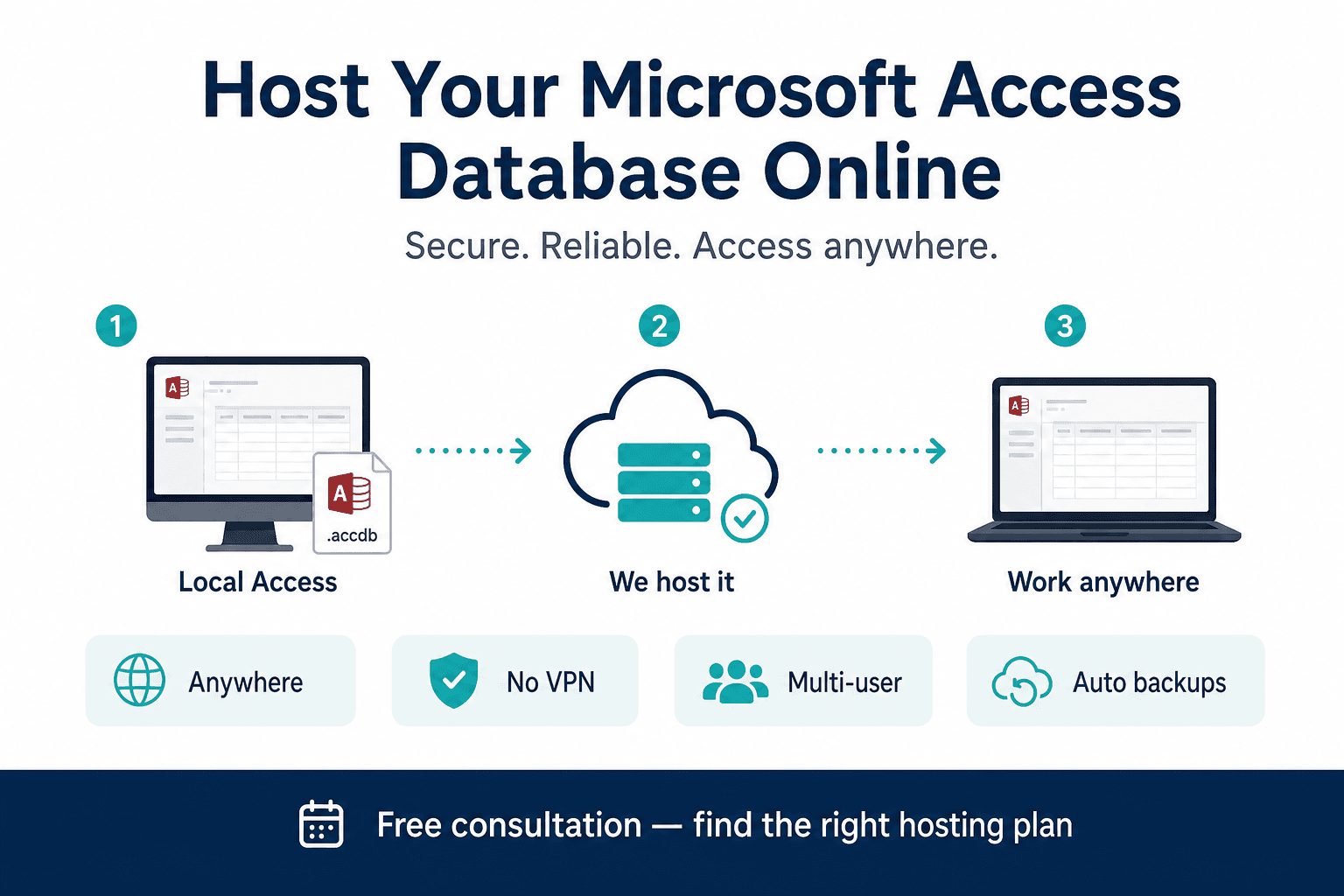
Hosted Access desktop
Your existing Access UI runs in a managed cloud desktop. Staff log in remotely and use the same forms—no rewrite required.
Best for: Urgent remote access, minimal change tolerance, short-term continuity
Timeline: Days to 2 weeks · From: From $650 setup + $30/user/month
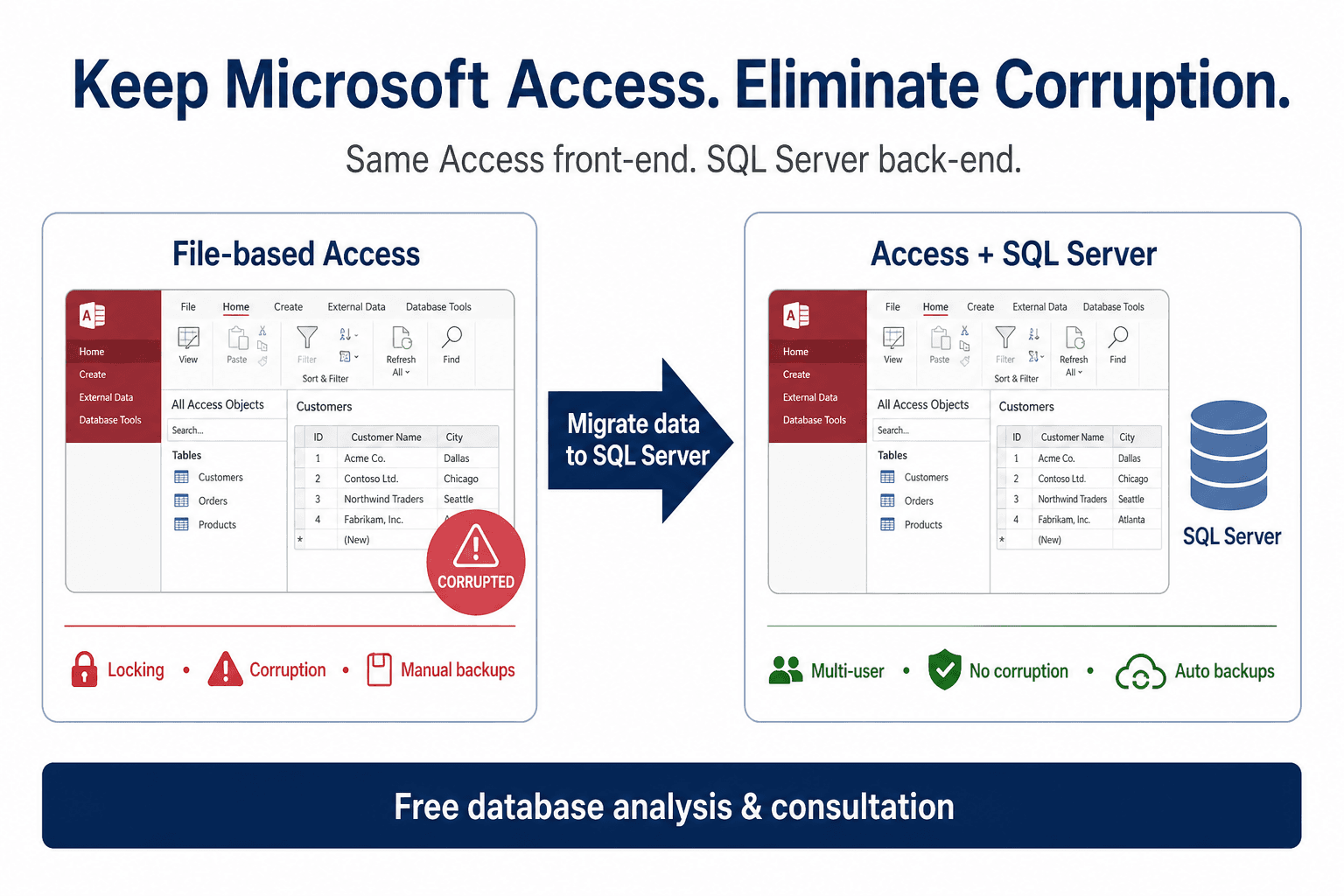
Access + cloud SQL
Tables move to SQL Server or Azure SQL while users keep familiar Access screens. Lock errors and corruption risk drop sharply.
Best for: Multi-user performance now, with a bridge toward full web conversion later
Timeline: 2 to 6 weeks · From: From $2,250 conversion + $50/mo cloud SQL
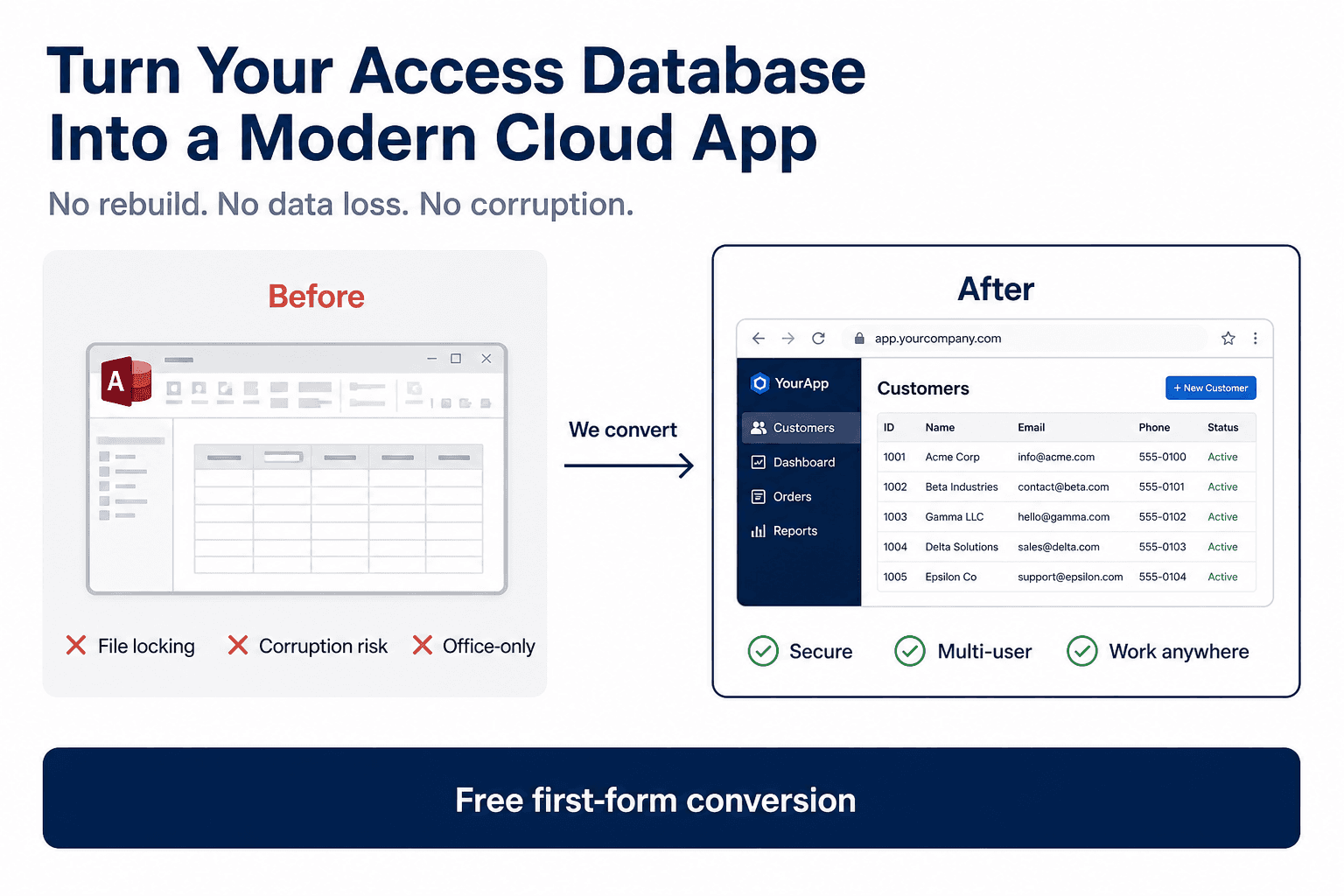
Browser web application
Workflows rebuild as a secure browser app backed by cloud SQL. No end-user Access licenses, strongest remote and mobile story.
Best for: Long-term cloud strategy, integrations, role-based access, and growth
Timeline: Weeks to months (phased) · From: From $800 fixed (1–5 forms + reports)
| Model | User experience | Time to value | Long-term scale | Typical starting cost |
|---|---|---|---|---|
| Hosted Access desktop | Remote session running Access | Fastest | Medium | $650 setup + $30/user/mo |
| Access + cloud SQL | Same Access UI, server-backed data | Fast to medium | Medium–high | From $2,250 + $50/mo hosting |
| Web application | Browser workflows, role-based login | Medium (phased) | Highest | From $800 fixed (small scope) |
Scenarios
When cloud Access is the right call
Hybrid workforce
Office, home, and field staff need the same system without VPN file copies or version drift between front-end copies.
Multi-site operations
Plants, branches, or regional offices edit the same backend. Cloud centralization replaces WAN-linked .accdb shares.
Audit and compliance pressure
Examiners ask who changed a record, when backups ran, and who can access data from home. File shares struggle to answer.
ERP or accounting integration
Cloud SQL or web APIs give IT a maintainable integration layer instead of brittle overnight CSV exports.
Process
How we deploy Access in the cloud
Every engagement starts with understanding your real workflows—not selling the largest project we can scope.
Free database review
We inventory forms, reports, VBA, integrations, and user patterns. You receive a written cloud path recommendation within one to three business days.
Pilot on one workflow
Hosted session, SQL upsize slice, or one converted web module—validated by real users before full production cutover.
Production cutover with rollback plan
We schedule go-live outside peak windows you define, with documented rollback and hypercare support.
Security
Security and operations checklist
Any cloud model should meet these baselines. Avoid treating “copy the .accdb to another folder” as a cloud strategy.
Encrypted transport (TLS) for all remote sessions and browser traffic
Role-based access—not just folder permissions on a network share
Automated daily backups with tested restore procedures
Version-controlled front-end deployment (no email attachments of “latest.accde”)
Monitoring for failed connections, latency spikes, and backup job failures
Documented data residency and vendor due diligence for IT review
Free offers
Start with zero commitment
We earn trust by being useful before you sign. These are included with every serious inquiry—not limited-time gimmicks.
Free database review
Send your .accdb (or sanitized copy) plus a note on your hardest pain point. We respond with a written recommendation—not a generic sales deck.
Request free reviewFree first form conversion
For web conversion paths, we convert one priority form or report so stakeholders can validate speed, UX, and fit before committing to full scope.
Get one form converted FREEFree hosting architecture brief
For hosted or SQL paths, we provide a one-page architecture summary suitable for internal IT review: hosting boundary, backups, and access model.
Book architecture reviewEstimate
MS Access cloud pricing calculator
Select hosted Access, SQL upsize, or web conversion. Adjust scope for a ballpark—final quote follows your free database review.
Estimate
Cloud pricing reference
Starting estimates for each cloud path using typical scope. For custom inputs, use our interactive pricing calculator.
Web app
MS Access to browser-based application
We rebuild your Access forms, reports, and workflows as a secure web application your team opens in Chrome, Edge, or Safari—no desktop Access install required.
Best when you want long-term scalability, remote access without VPN, and a modern platform that connects cleanly with CRM, ERP, and other tools you already use.
Example: 3 forms, 2 reports, 5 queries · your network
One-time · fixed
$1,486
Monthly · recurring
None
You host on your network — no monthly fee from us
10 objects · your network
Approximate estimate. Free audit confirms final scope.
Access + SQL
MS Access + SQL Server
Your team keeps the same Access screens while we move tables and data to SQL Server for better stability, speed, and multi-user performance.
Best when you need to reduce lock errors and corruption risks now, without retraining staff on new screens or rebuilding forms yet.
Access to SQL Server conversion · your network
One-time · fixed
$2,250
Access to SQL Server conversion
Monthly · recurring
None
SQL runs on your network — no monthly hosting fee from us
Conversion only · your network
Approximate estimate. Scope confirmed after a quick database review.
Hosted Access
Hosted Access on cloud desktop
We host your existing Access system in a managed cloud desktop so users log in remotely and run Access exactly as they do today.
Best when you need online access quickly and cannot change forms, reports, or VBA in the short term.
Example: 5 users on hosted cloud desktop
One-time · fixed
$650
Server setup and onboarding
Monthly · recurring
$150/mo
5 users
5 users on hosted Access
Approximate estimate. Final total depends on peak usage and storage.
Web conversion
Web app pricing bands
Fixed bands for browser-based conversion when scope is mostly forms and reports.
Starter
1–5 combined forms + reports
$800 fixed
Growth
6–10 combined forms + reports
$1,500 fixed
Scale
11–20 combined forms + reports
Custom fixed quote
Enterprise
21+ combined forms + reports
SOW / hourly model
Hosted Access
Hosted cloud desktop pricing
Per-user monthly model with one-time setup. Ideal when you need online Access without changing forms.
Starter
1–5 concurrent users
$650 setup + $30/user/mo
Growth
6–15 concurrent users
Custom quote
Scale
16–50 concurrent users
Custom quote
Enterprise
50+ users or HA requirements
SOW / dedicated host
SQL backend
Access to cloud SQL pricing
Fixed conversion fee plus optional managed cloud SQL hosting.
Upsize
Table migration + linked tables
From $2,250 fixed
Tune-up
Indexing, pass-through queries, validation
Included in scope
Cloud SQL
Managed Azure SQL or SQL Server hosting
From $50/month
Expansion
Additional modules toward web conversion
Phased fixed quotes
Full pricing reference: modernization pricing page · web conversion cost guide
Client feedback
What clients say about cloud modernization
Remote delivery with direct access to senior consultants—not layers of account management.
500+Projects delivered
5.0Average client rating
20+ yrsAccess consulting depth
Rajan gave us a phased plan our team could execute without stopping production. Lock conflicts dropped within the first month after pilot go-live.
David Chen
IT Manager · Logistics & Distribution Firm
“Clear scope, realistic timelines, and honest trade-offs. We moved critical workflows first and avoided a risky full rewrite.”
ProjectPhased SQL + web migration · 28 users
Emily Rodriguez
Founder · Professional Services Company
“The consultation alone saved us weeks of internal debate. We knew exactly what to migrate now, what to defer, and what budget to expect.”
ProjectFree pilot + fixed-price phase 1
Outcomes
Business outcomes after cloud deployment
Remote staff work on one authoritative dataset—not laptop copies
IT gets supportable architecture with clear backup and access boundaries
Operations stop losing hours to lock errors and unexplained corruption
Leadership has a phased path from “file on a share” to cloud-ready delivery
Integration and reporting move toward stable server-side queries or web APIs
Guides
Related cloud resources
MS Access cloud hosting buyer's guideSharePoint vs cloud desktop for AccessVPN vs hosted desktop vs web appRemote access setup guideCost to convert Access to webFull pricing calculator page
Related services: Access database online · Host MS Access online · Migration services
FAQ
Frequently asked questions
What does “MS Access in the cloud” actually mean?
It can mean three things: hosted cloud desktop (same Access UI, centralized runtime), Access front-end with cloud SQL backend, or full browser web conversion. The right choice depends on timeline, user habits, and how long you plan to keep Access as the UI layer.
Do users still need Access licenses in the cloud?
Hosted desktop models typically use centralized licensing or runtime in the managed environment. Web conversion removes end-user Access license dependency because workflows run in the browser.
Can MS Access cloud work without VPN?
Yes. Hosted desktop and browser web apps are designed for direct secure login over the internet. VPN is common in legacy file-share setups but not required for modern cloud architectures.
Which cloud path is fastest to deploy?
Hosted Access online is usually fastest because forms, reports, and VBA stay unchanged while files move to managed infrastructure. SQL upsize is next for stability. Full web conversion delivers the strongest long-term scale.
Is copying the .accdb to OneDrive or Dropbox “cloud Access”?
No. Synced file copies increase version drift and corruption risk. Real cloud Access means centralized runtime or data with controlled access, backups, and a single source of truth.
Can we start with hosting and convert to web later?
Yes. Many clients stabilize on hosted Access or SQL upsize first, then migrate high-value workflows to the browser in phases. We document the roadmap so you are not locked into a dead end.
How is pricing calculated for cloud Access?
Hosted pricing is primarily per-user monthly plus setup. SQL upsize is a fixed conversion fee plus optional cloud SQL hosting. Web conversion uses form/report scope bands. Use the calculator on this page for a starting estimate.
What do we get for free before signing a contract?
A written database review, and for web paths a free first-form conversion preview. Hosted and SQL paths include a one-page architecture brief for IT review.
Where is data hosted?
We support managed cloud (Azure SQL, managed desktop), deployment in your cloud tenant, and hybrid models when data residency or policy requires it. Region and residency are scoped during discovery.
How long does cloud deployment take?
Hosted Access can go live in days to two weeks. SQL upsize pilots often land in two to six weeks. Web conversion depends on form count and VBA complexity—we quote honestly after the free review.